FreePrints Photo Tiles
- 4.9
- Rating
- 1.00M
- Installs
- Free
- Price

 Analysis by App-foxy
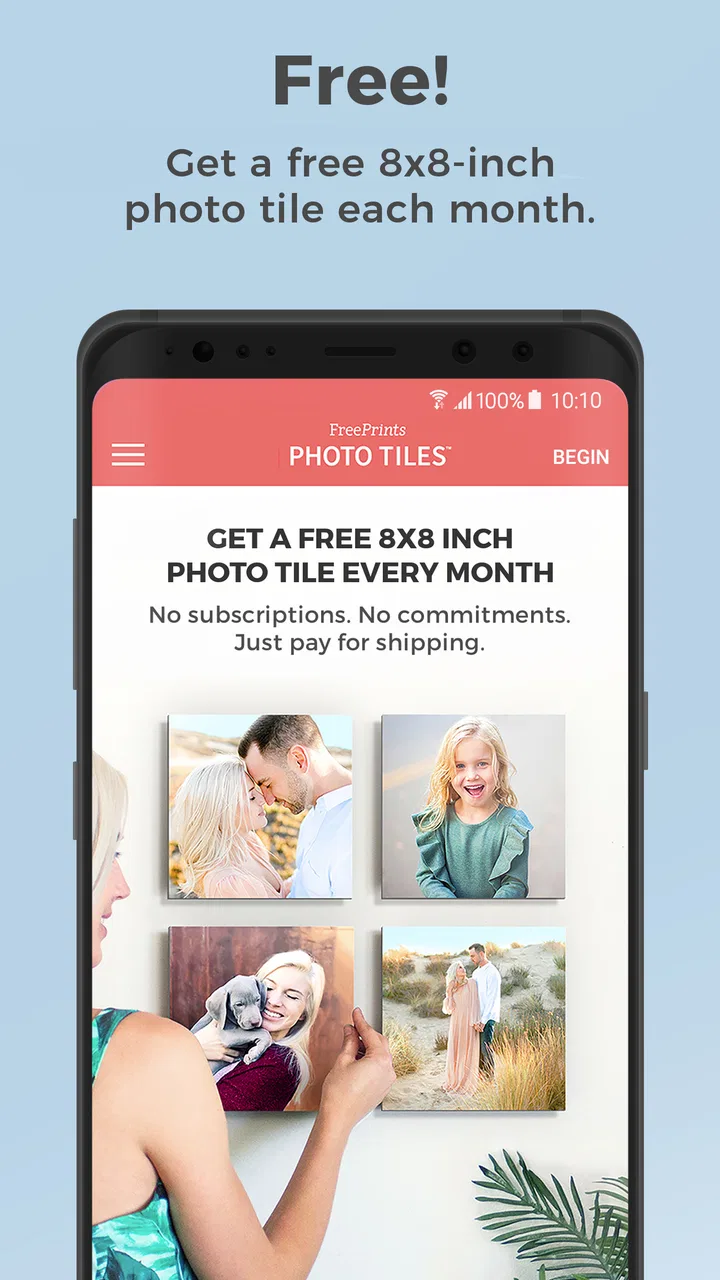
FreePrints Photo Tiles is the kind of photography app I would consider when I want a physical reminder of a good moment without turning the project into a large, expensive wall display. PlanetArt presents it as a simple way to order a free photo tile each month, and that narrow purpose is important: this is not a full photo editor, cloud gallery, or social network. It is a bridge between the pictures on my phone and a small printed object I can actually put on a shelf or wall.
In my experience, the appeal is less about decorating an entire room and more about creating a slow, manageable collection. A favorite family picture, a travel memory, a pet portrait, or a snapshot from an ordinary day can become something tangible. The app is free to download, has an Everyone content rating, and sits in the Photography category. Its strong public reception—an average of 4.9 from around 65 thousand ratings—suggests that the basic idea works well for many people, although a high rating should not replace checking whether the ordering process suits your own expectations.
How the photo-tile experience works in everyday use
The first thing I noticed about this type of service is that the decision is not really “which editing tool should I use?” It is “which photo deserves to leave my camera roll?” That makes the app useful for people who already take plenty of pictures but rarely print them. Instead of sorting through a large catalog of print sizes, I can focus on choosing one image that has personal meaning.
You May Also Like

 Blood Strike: 2.5 Anniversary
Blood Strike’s Loadouts Turn Every Drop Into a Tactical Gamble
A close look at Blood Strike’s custom loadouts: how fast access to signature weapons reshapes its battle royale rhythm, rewards preparation, and narrows the gap between fights.

 Pandora - Music & Podcasts
Pandora’s Music Is Easy to Start, but Harder to Recover
Pandora’s strength is its low-effort path from a seed to a station. Its weak spot is how much confidence it asks you to place in connection, setup, and quiet recovery.

 8 Ball Pool
 Is Built on Rivalries, Rematches, and Routine
A close look at the rivalries, rematches, shared routines, and unanswered safety questions that turn a quick pool match into a persistent mobile community.

 Samsung Music
’s Quiet Strength Is Playing What You Already Own
Its reach comes less from spectacle than from dependable access to a personal library. That simplicity is both the app’s strongest retention engine and its ceiling.

 AccuWeather: Weather Radar
AccuWeather Review: A Quick, Clear Forecast for Everyday Decisions
For everyday plans, the best forecast is the one you can understand quickly. AccuWeather makes rain timing, radar, and local conditions easy to act on, with a few trade-offs.

 Hill Climb Racing
Why Hill Climb Racing Still Turns Crashes Into One More Run
A tiny car, a bumpy hill and one more upgrade: Hill Climb Racing keeps resurfacing because its simple chaos makes every near-miss feel personal.
More From Our News Desk



A realistic use case would be a monthly family routine. After a birthday, school event, weekend trip, or simple weekend at home, I could open the app, select one image, check how it sits inside the tile’s crop, and place the order before the memory gets buried among newer photos. The monthly rhythm gives the process a natural stopping point. I do not have to design a complete gallery in one sitting, and I can let the collection grow gradually.
That same simplicity can be a limitation. If I want several different print dimensions, a large collage, framed artwork, or a carefully color-managed fine-art result, a dedicated photo-printing service may be more appropriate. FreePrints Photo Tiles is focused on one decorative format, so its strength is convenience rather than broad creative control.
The app comes from PlanetArt and has been available since May 25, 2018. It has reached over one million installs, which gives it a substantial user base for a specialized printing app. The current version is 7.65.2 and requires Android 10 or later. Those details matter if you are using an older phone: the service may be attractive, but compatibility should be checked before planning an order around it.
Choosing an image without regretting the crop
My most practical advice is to treat the preview as part of the creative process, not as a final formality. Phone photos are often tall, wide, or captured in unusual proportions, while a tile has its own shape. A picture that looks perfect in the camera roll can lose a face, a pet’s ears, or the main subject when fitted to the product.
I would inspect the edges carefully before confirming anything. Group photos deserve extra attention because the person standing closest to the border is usually the one most vulnerable to an awkward crop. For landscapes, leaving some visual breathing room around the focal point tends to work better than choosing an image where the subject already touches the frame.
Another useful workflow is to make a temporary album in the phone’s photo library before opening the app. I would place possible candidates there, remove near-duplicates, and then compare only the strongest images. This avoids scrolling endlessly through thousands of camera shots and makes the monthly choice feel deliberate rather than rushed.
Images taken in low light also deserve a closer look. A photo that appears acceptable on a bright phone screen may feel darker when printed. I would favor a well-lit image with clear separation between the subject and background, especially if the tile will hang in a room with soft lighting.
Where the free offer fits into the real decision
The central attraction is the recurring free photo tile, with no subscription or ongoing commitment presented as part of the offer. That makes the service easier to try than a plan-based printing product. I can approach it as an occasional monthly habit instead of worrying about whether I will use enough benefits to justify a membership.
Still, “free” should not be treated as the same thing as “the entire order costs nothing.” In any physical-ordering workflow, I would read the checkout screen carefully and look at the final order details before submitting. The important questions are practical ones: what is included in the offer, what delivery choices appear, and whether any optional additions have been selected. The app’s attractive entry point should not encourage me to confirm an order without reviewing the last screen.
This is also where the service differs from ordinary photo apps. A gallery app can store and organize pictures at no extra effort, while a local print shop can give me immediate control over paper, size, and pickup. FreePrints Photo Tiles occupies a middle ground: it makes a physical keepsake more approachable than a full custom project, but it still involves selecting, ordering, and waiting for a product rather than enjoying an instant digital result.
For someone who wants a single visual reminder each month, that trade-off is reasonable. For someone preparing gifts for a large group or decorating an entire home at once, the limited monthly concept may feel restrictive. In that situation, comparing the total checkout cost and production choices with a conventional print provider would be sensible.
Trust begins with visible choices, not just a high rating
A strong rating can tell me that many people are satisfied, but it does not answer every trust question. When I use a photo-ordering app, I pay attention to the moments where the app asks me to choose something: selecting an image, creating or using an account, reviewing an order, and confirming payment or delivery details. Those visible decisions matter more to me than promotional language.
I would also look at the permissions and account prompts shown on my own device. Permissions can vary by operating system and app version, so I would not assume that a permission is required merely because the app handles photos. If the app asks for access to images, I would consider whether the system offers a limited-photo option and choose the narrowest access that still lets me complete the task.
The same principle applies to notifications. If the app offers notification controls through the phone’s settings, I would leave them off unless reminders are genuinely useful to me. A monthly printing habit should remain my choice rather than becoming something that repeatedly interrupts the day.
Because this is a service for turning personal images into physical products, I would be especially attentive when choosing pictures of children, relatives, documents, home interiors, or other private subjects. The safest workflow is to select only the image needed for the order, avoid casually uploading sensitive screenshots, and review the selected photo before proceeding. That is not a criticism unique to this app; it is simply good practice whenever personal images move beyond the phone’s local gallery.
I would also review the app’s privacy and account information directly in the current store and in the app’s own settings before using it for sensitive material. Policies and controls can change, and the most responsible choice depends on what is visibly offered at the time of use. I prefer to make that check myself rather than assuming that a photography app handles every type of image in the same way.
Account control and the moments that deserve attention
The account step is one of the places where I would slow down. If an account is requested, I would use an email address I check and a password that is not reused elsewhere. I would avoid entering more personal information than the order actually needs, and I would look for account settings that let me review or manage saved details.
Before confirming an order, I would check the selected image, crop, quantity, delivery information, and final amount together. This simple pause catches mistakes that are easy to miss when the process feels like a quick free offer. It is especially useful if I am ordering from a phone while distracted or switching between several family members’ photos.
Afterward, I would keep the order confirmation until the tile arrives and inspect the delivered item against the preview. If something looks wrong, having the order information available should make it easier to explain the problem through the app’s support route. I would not treat a successful checkout as the end of the process; the delivery and resolution experience are part of whether the service earns my trust.
Another small but meaningful habit is cleaning up access after the order. If I granted photo access temporarily, I would revisit the phone’s permission settings later and reduce it when I no longer need it. Likewise, if I decide not to continue using the service, I would look through the account area for available controls instead of leaving an unused account untouched indefinitely.
These steps do not make the app complicated. They simply keep the user in charge at the points where a casual photo choice becomes an external order. I appreciate services more when their convenience does not pressure me to skip those checks.
Who will enjoy it, and who should choose another route
I think the app is a good fit for people who want a small, physical photo display without learning design software. It should appeal to parents building a gradual memory wall, travelers who want to preserve one image from each trip, grandparents who enjoy tangible pictures, and anyone who takes many phone photos but prints almost none of them.
It can also work well as a personal routine rather than a gift service. I might choose one image that represents an ordinary month: a dog asleep in an unusual place, a meal shared with friends, or a quiet view from a walk. Those pictures often disappear behind more dramatic events, yet they can become the most meaningful part of a slow collection.
I would be more cautious about recommending it to professional photographers, scrapbookers who need exact paper specifications, or people who want full control over color, borders, dimensions, and finishing. A specialized lab or local print provider is likely better for those needs. The same is true for anyone who wants immediate pickup, because an app-based physical order is not a substitute for walking into a shop and leaving with prints that day.
People with older Android devices should also check the operating-system requirement before investing time in setup. The app is rated for Everyone, but that age rating describes content suitability, not whether every family member will find the ordering process equally easy. Someone who is uncomfortable with mobile checkout may still prefer help from a relative or an in-person printer.
Small workflow improvements that make the service better
My first improvement would be to separate selection from ordering. I would choose candidates in the phone’s gallery, compare them on a larger screen if possible, and only then open the app. This reduces impulsive choices and makes it easier to notice faces near the crop boundary.
My second would be to keep a simple record of the images already used. The app may help with the order itself, but I would not rely on memory after several months. A note containing the month and image subject prevents accidental repetition and helps me maintain a balanced collection of people, places, and everyday moments.
My third would be to photograph the intended wall or shelf before ordering more than one tile over time. A tile that looks attractive alone may compete with nearby colors or furniture. Planning the eventual arrangement early helps me choose images with complementary tones instead of ending up with a collection that feels visually random.
For privacy, I would create a dedicated album containing only the pictures I am comfortable selecting for print. This is particularly helpful on a shared family phone or when the photo library includes identity documents, work materials, or private conversations saved as screenshots. It makes the selection process faster while reducing the chance of choosing the wrong image.
Finally, I would make the checkout review a fixed habit, even when the offer feels straightforward. I would confirm that the preview shows the intended crop and that the order details match what I meant to request. That extra minute is more valuable than having to correct an avoidable mistake later.
My cautious verdict after weighing convenience and control
FreePrints Photo Tiles is appealing because it gives a very specific photography task a low-pressure shape: choose one meaningful image, turn it into a physical tile, and decide later whether you want to do it again. PlanetArt has built the experience around accessibility rather than deep editing, and I think that is the right choice for casual users who want memories outside the phone.
I would recommend it to a friend who wants an easy monthly keepsake and is comfortable reviewing permissions, account prompts, and checkout details personally. The free entry point and lack of subscription commitment make trying it less intimidating than a larger printing project, while the focused format keeps the decision manageable.
My recommendation comes with clear limits. I would not choose it for professional print work, urgent same-day needs, or a project requiring many formats and highly technical control. I would also avoid uploading sensitive images casually and would check the current privacy choices before placing an order.
Overall, I see it as a useful bridge between a phone gallery and a small home display. Its best quality is not that it replaces every alternative; it does not. Its best quality is that it gives people who rarely print photos a simple reason to begin, while still leaving the important choices—what to share, what permissions to grant, and whether to continue—in the user’s hands.
FAQs for FreePrints Photo Tiles
01What is FreePrints Photo Tiles, and how does it work?
FreePrints Photo Tiles is a mobile photo-printing service that lets you turn pictures from your phone into decorative wall tiles. After selecting images from your device or connected photo accounts, you can preview the layout, place an order, and have the finished tiles delivered. The app is designed for simple home décor projects rather than professional gallery-quality printing.
02Are the FreePrints Photo Tiles really free, or are there additional costs?
The app may promote free or introductory tile offers, but users should not assume that every order is completely free. Shipping, handling, taxes, additional tiles, upgraded materials, or special promotions can affect the final price. Before confirming payment, review the order summary carefully, including the number of tiles, delivery charge, and any recurring or promotional conditions shown in the app.
03What photo quality and image formats work best for the tiles?
The best results come from bright, sharp, high-resolution photos that match the tile’s shape and proportions. Images copied from messaging apps or screenshots may look soft when printed, while heavily cropped pictures can lose important details. The app normally provides a preview or cropping tool, so check faces, edges, and the overall composition before ordering to avoid unwanted trimming.
04How long does delivery take, and can I track my order?
Delivery time depends on production, the shipping option selected, your location, and current demand. Orders are usually prepared before they are dispatched, so the estimated arrival date may not be immediate. After placing an order, check the confirmation and order-status sections for updates. Tracking availability can vary, particularly for lower-cost shipping methods or certain regions.
05Can I cancel, return, or replace a FreePrints Photo Tiles order?
Because photo tiles are personalized products, cancellation and return rules may be more limited than they are for ordinary retail items. Contact customer support as soon as possible if you notice an incorrect image, address, quantity, or customization, since production may begin quickly. For damaged, defective, or incorrectly printed tiles, keep photos of the problem and follow the app’s support instructions for a possible replacement or refund.
Pros
- Easy way to turn personal photos into decorative wall tiles.
- Photo selection and ordering process is simple for beginners.
- Tiles are lightweight and easy to hang or rearrange.
- Useful for creating personalized gifts and home décor.
- Orders can be placed from a phone without editing software.
Cons
- Shipping fees may make small orders less economical.
- Print quality can vary depending on the original photo resolution.
- Limited tile sizes and layouts may restrict creative projects.
- Delivery times can be longer during holidays or promotions.
- The app may request access to your photo library and personal details.

FreePrints Photo Tiles
Gallery